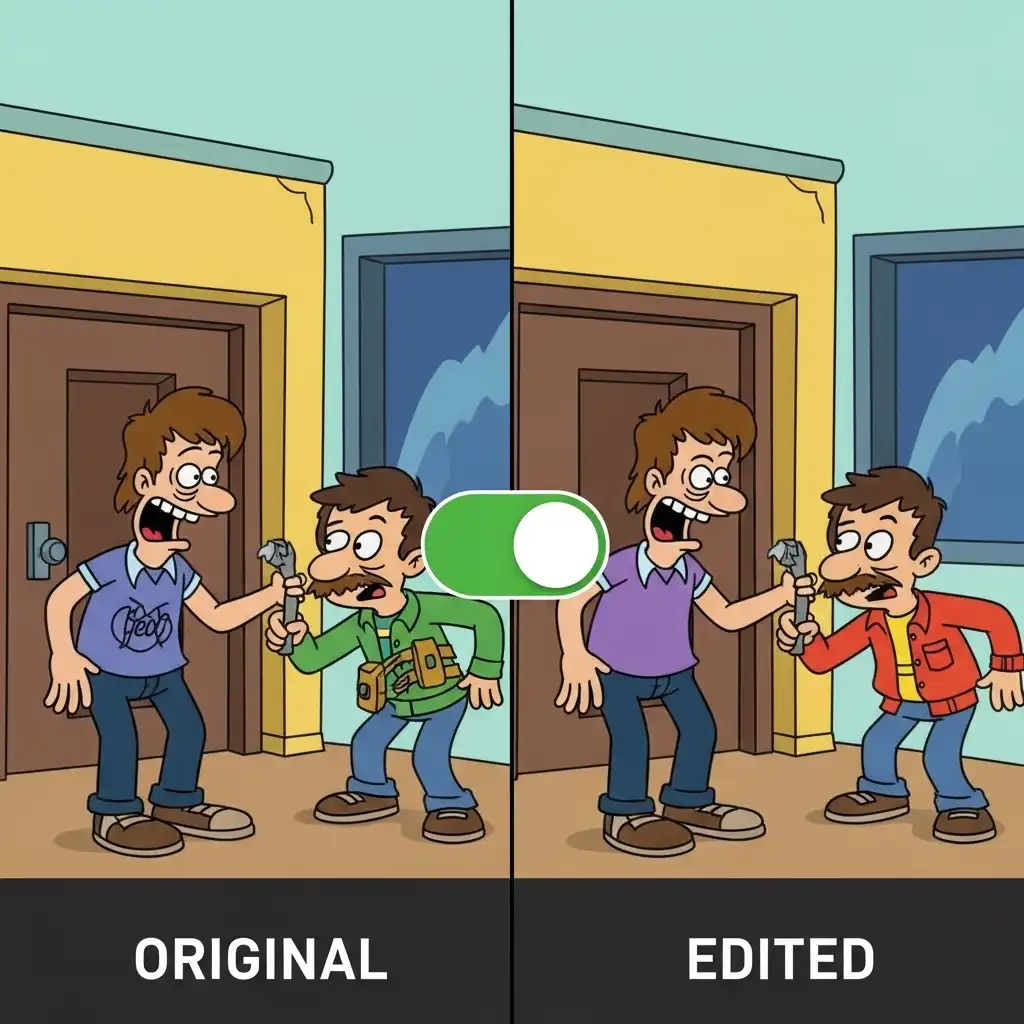
Over-editing rarely happens in one dramatic move. It arrives in whispers: a small contrast bump that looks fine, a slight saturation lift that looks fine compared to the previous state, a bit more warmth, a bit more clarity — each step justified by the step before it. Then you export, show someone the image, and watch their face: to fresh eyes the photo looks over-processed, while to yours it looked perfect.
The culprit is perceptual adaptation, and the cure is the simplest tool in editing: the before/after toggle. In this guide you will learn why over-editing accumulates invisibly, what the toggle actually does to your perception, a professional rhythm for using it, why edits look worse the next day, and the mistakes that turn this anchor into a useless habit — all practicable in our free online photo editor with layers.
Why Over-Editing Happens Gradually (The Adaptation Trap)
Your visual system recalibrates within minutes of staring at an image: what looked bold at the start of a session becomes the new normal, and the next adjustment is judged against that shifted baseline rather than against the original. This is why saturation creep and contrast drift are universal experiences — each increment looks modest compared to the state immediately before it, while the cumulative distance from the original grows dramatic.
Psychologists call it perceptual adaptation; editors call it "the image looked fine last night." The trap is structural: because you can only compare the current state to what you remember, and memory of the original fades within minutes, gradual over-editing becomes invisible from the inside. No amount of skill or taste prevents it — only an external anchor does.
What the Before/After Toggle Actually Does (Your Perceptual Reset)
The before/after toggle — often a single shortcut key, a history panel click, or a layer visibility switch — instantly replaces the adapted current state with the untouched original. That instant contrast breaks adaptation: the accumulated shift you could no longer see becomes obvious in a single flash.
Saturation that crept up over forty minutes announces itself in one second; crushed shadows reveal themselves; the warmth that felt cozy reads as orange. This is why professionals call the toggle an anchor: it keeps every adjustment grounded in the image's starting truth, reminding you where you began and how far you have traveled. The toggle does not judge your edit — it simply restores your ability to judge it.
How to Use the Before/After Toggle Step by Step (The Professional Rhythm)
- Before touching any slider: learn and set your toggle shortcut — in our free online photo editor with layers you can compare instantly through the history panel or layer visibility.
- Toggle once at the start: memorize the original's character: its natural contrast, color balance, and mood.
- Check after every major stage: white balance, exposure, color grading, retouching — not after every single slider move.
- Ask specific questions on each toggle: has skin shifted, is saturation creeping, has contrast crushed shadows or blown highlights, does the image still feel like itself?
- Toggle again after every break: when fresh eyes return — this is when excess is most visible.
- Dial it back: when the after looks strange against the before, dial back the last two or three adjustments rather than restarting.
- Finish with a final toggle: at viewing distance and, for important work, on a second device.
Why Edits Look Worse the Next Day (And How the Toggle Prevents It)
The next-morning regret every editor knows — loving an edit at night and cringing at it over coffee — has one cause: overnight, your adaptation fully reset, and morning eyes see what adapted eyes could not. The before/after toggle is a way to borrow those morning eyes during the session itself: each flash of the original temporarily resets your baseline, exposing cumulative drift before it gets exported.
For critical work, combine both defenses: toggle frequently during the session, and still let important images rest overnight before final export. The toggle catches most excess in real time; the overnight rest catches what remains. Together they form the quality control system that separates considered edits from impulsive ones.
Before/After vs Other Reality Checks (A Complete Anchor System)
The toggle is the most powerful perceptual anchor, but professionals run a whole system. The histogram provides technical truth: it reveals clipping and tonal imbalance that eyes miss even when fresh. Critical distance — stepping back physically or taking breaks — resets adaptation at a slower, deeper level than the toggle.
The device test — viewing on a phone or another screen — exposes context-dependent problems like casts and excess that a single display hides. And viewing distance judgment confirms holistic balance. The before/after toggle sits at the center of this system because it is instant, free, and available at every moment of the workflow; the others verify at intervals. Use the toggle continuously, and the rest at milestones.
Common Before/After Mistakes (and How to Fix Them)
- Never toggling until export: discovering over-editing only when it is too late to fix comfortably — make the toggle reflexive.
- Toggling after every single slider move: producing doubt paralysis instead of grounding — check at stages, not at every micro-decision.
- Comparing against a previous edited version: rather than the true original, which re-anchors to an already-shifted baseline.
- Toggling only at 100% zoom: where holistic excess hides — flash the original at full view too.
- Using the toggle to justify excess: "it looks better than before" is not the question; the question is whether the edit serves the photograph's purpose.
- Skipping the toggle on quick edits: adaptation works just as fast on five-minute jobs, and quick edits become client jobs.
Frequently Asked Questions
What is the before/after toggle in photo editing?
How often should I check before/after while editing?
Why do my edits look over-processed the next day?
Does the before/after toggle stop me from making bold edits?
Can I compare before/after in a free online photo editor?
The Takeaway
The before/after toggle is editing's cheapest and most powerful quality control: one key that breaks adaptation, exposes cumulative drift, and keeps every adjustment grounded in the original's truth. Toggle at stages rather than at every slider, ask specific questions on each flash, combine it with breaks, histogram checks, and device tests, and let important work rest overnight as final insurance.
Key Takeaways:
- Over-editing accumulates invisibly because adapted eyes judge each step against the last.
- The toggle restores your ability to judge against the original.
- Next-day regret is adaptation resetting, and the toggle borrows fresh eyes on demand.
- The question is never "better than before?" but "does it serve the photograph?"
Keep your edits honest in our free online photo editor with layers — your files never leave your browser.