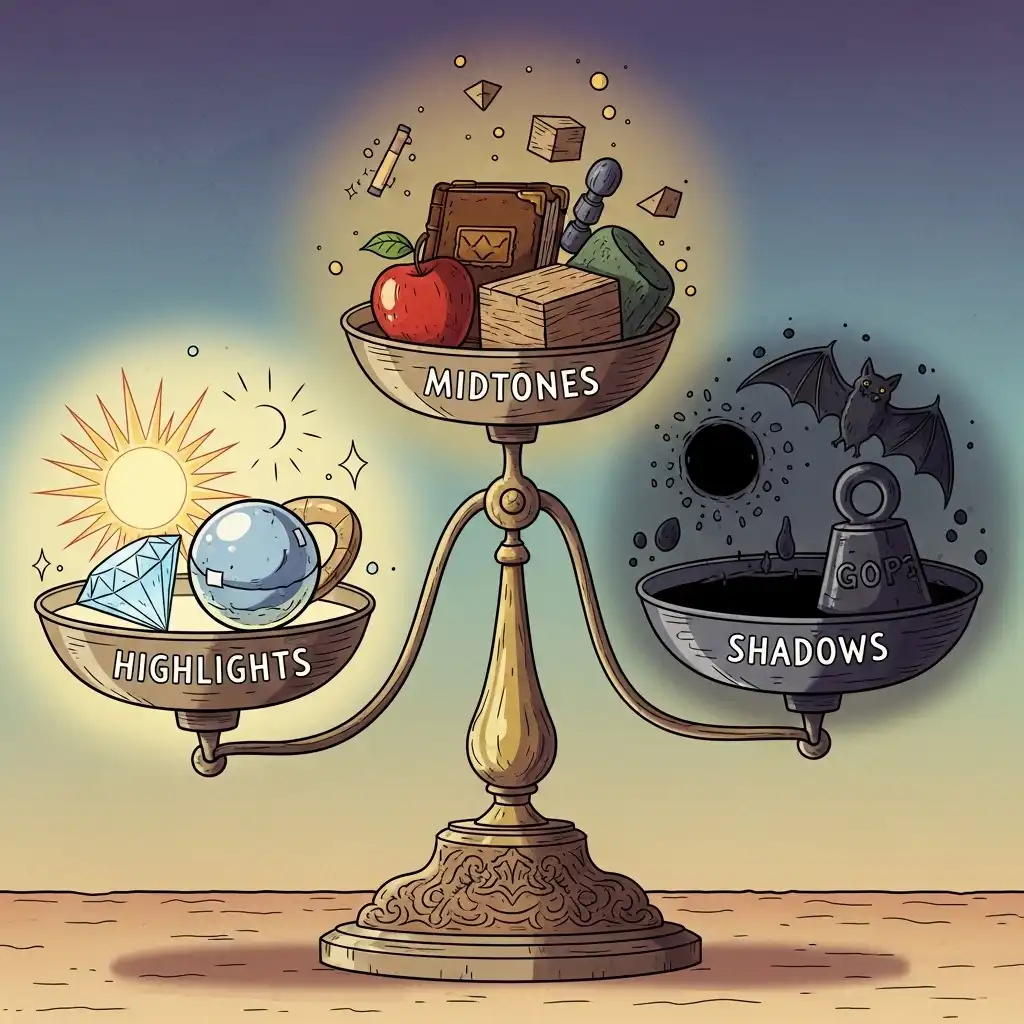
Every photographer learns the exposure triangle at the camera — aperture, shutter speed, and ISO — but few realize that a second exposure triangle awaits them in post-processing. In editing, the triangle transforms into three tonal zones: highlights, shadows, and midtones. Mastering the balance between them is what separates flat, lifeless images from photographs with dimension, depth, and emotional weight.
Unlike the camera triangle, where you balance physical light before capture, the editing triangle demands that you make deliberate compromises with the light you already recorded. In this complete guide you will learn what the exposure triangle in photo editing actually is, how to read the histogram to diagnose tonal imbalance, how to recover blown highlights and open crushed shadows, and the professional discipline of intentional tonal compromise — all practicable in our Photo Editor.
The Exposure Triangle in Editing: Highlights, Shadows, and Midtones
In post-processing, the exposure triangle refers to the three tonal regions that define an image's luminance structure. Highlights are the brightest zones — skies, specular reflections, bright skin, light sources. Shadows are the darkest zones — deep recesses, silhouettes, dark clothing, night areas. Midtones are everything in between, where most subjects and details live.
The editing triangle is not about achieving perfect exposure in all three zones simultaneously — that is often physically impossible, especially with high-contrast scenes. Instead, it is about understanding the relationship between these zones and deciding which one carries the emotional weight of the image. A portrait prioritizes midtone skin detail; a dramatic landscape might sacrifice highlight detail for moody shadows. The triangle teaches you to distribute tonal weight deliberately rather than hoping the slider will fix everything.
Reading the Histogram to Diagnose Tonal Imbalance
Before touching any slider, open the histogram in our Photo Editor — it is the only honest map of your image's tonal distribution. A healthy histogram typically shows a curve that spans from left (shadows) to right (highlights) without slamming hard into either wall. If the curve piles up against the left edge, your shadows are clipped and detail is lost in the darks. If it piles against the right edge, your highlights are blown and detail is lost in the brights.
A spike in the center with little on either side indicates a flat, low-contrast image. The histogram tells you where the problems live so you can target them surgically rather than dragging global exposure blindly. Learn to read it before every major adjustment, and you will never guess at your tonal balance again.
How to Recover Blown Highlights and Open Crushed Shadows
Recovering lost detail is an act of triage, not magic. To recover blown highlights, lower the overall exposure slightly, then use the highlights slider to pull back the brightest tones without darkening the entire image. If the highlights are clipped beyond recovery, a gradual filter or masked adjustment can reintroduce some tonal variation, but pure white clipped to zero detail cannot be resurrected.
To open crushed shadows, raise the shadows slider rather than global exposure, which would also blow out the highlights. For stubborn scenes, luminosity masks let you target only the dark zones without touching the brights. The professional rule: recover what serves the story, accept what cannot be saved, and never chase technical perfection at the expense of the image's emotional core.
Balancing the Triangle: The Art of Intentional Compromise
Every high-contrast scene forces a choice: protect the highlights or open the shadows. Attempting to save both perfectly often produces a flat, HDR-like mess with no dimensionality. The professional approach is intentional compromise. Ask: what is the subject? If it is a backlit portrait, protect the face in the midtones and let the sky clip slightly. If it is a sunset landscape, protect the vibrant sky highlights and let the foreground fall into silhouette.
If it is a street scene at night, preserve the neon highlights and accept deep, inky shadows. The triangle teaches you that balance is not equality — it is hierarchy. One zone leads, the others support. Making that hierarchy explicit is what transforms a technically correct exposure into a compelling image.
Step-by-Step: Balancing Tonal Ranges in the Editor
- Open your image in our Photo Editor and read the histogram to identify clipped zones.
- Set your white point and black point using the highlights and shadows sliders, ensuring the curve touches but does not climb the walls.
- Adjust global exposure to place the midtones where they feel natural for the subject.
- Fine-tune the highlights slider to recover or protect bright zones without flattening contrast.
- Fine-tune the shadows slider to open or deepen dark zones, watching for noise introduction.
- Use curves or luminosity masks for surgical adjustments if specific regions need independent treatment.
- Toggle the before/after view and step back to viewing distance: the image should feel dimensional, not technically strained.
- Save your layered project so you can revisit the balance if your eye changes tomorrow.
Common Exposure Triangle Mistakes (and How to Fix Them)
- Chasing a perfectly flat histogram that touches neither wall, producing images with no contrast or drama — sometimes clipping is stylistically correct.
- Recovering shadows so aggressively that noise becomes the dominant texture — accept some shadow depth rather than amplifying grain.
- Blowing out highlights in pursuit of brightness, losing specular detail that anchors the scene — protect highlights first, lift midtones second.
- Ignoring midtones while obsessing over the extremes, leaving the subject flat and lifeless — midtones carry the emotional weight.
- Applying global exposure adjustments when luminosity masks or graduated filters would solve the problem locally — global moves create new problems while solving old ones.
Frequently Asked Questions
What is the exposure triangle in photo editing?
How do I recover blown highlights in a photo?
How do I balance highlights and shadows without making the image flat?
Why does lifting shadows introduce noise?
Can I balance tonal ranges in a free online photo editor?
The Takeaway
The exposure triangle in editing is not about achieving perfect tonal balance — it is about making intentional tonal choices. Read the histogram to diagnose imbalance, recover what serves the story, accept what cannot be saved, and let one tonal zone lead while the others support.
Key Takeaways:
- Highlights, shadows, and midtones form the editing triangle.
- Balance is hierarchy, not equality.
- Intentional compromise beats technical perfection.
- Protect the zone that carries the subject's emotional weight.
- Luminosity masks offer surgical control when global sliders create new problems.
- Master your tonal triangle in our Photo Editor — your files never leave your browser.